
Stremio
StremioEntertainment
3.81.93K Reviews
- Version
- Varies With Device
- Installs
- 10.00M
- Age Rating
- Teen
Screenshots
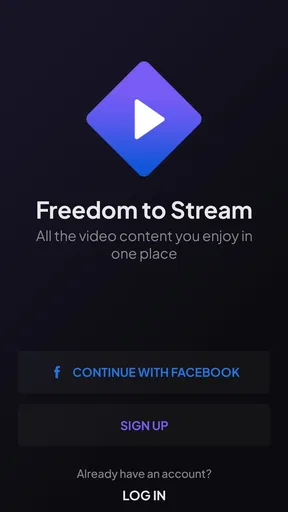
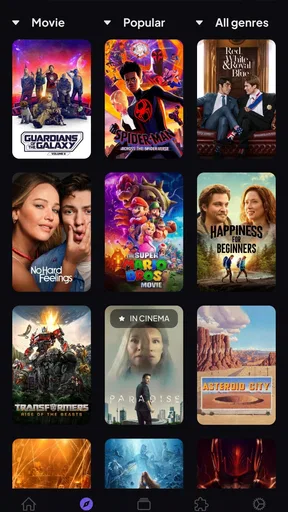
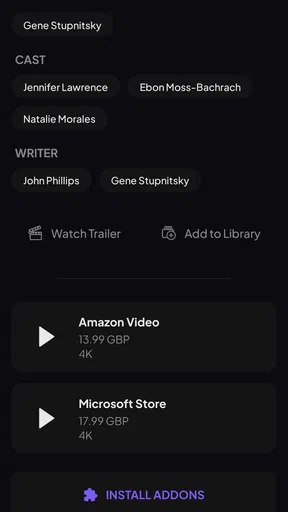

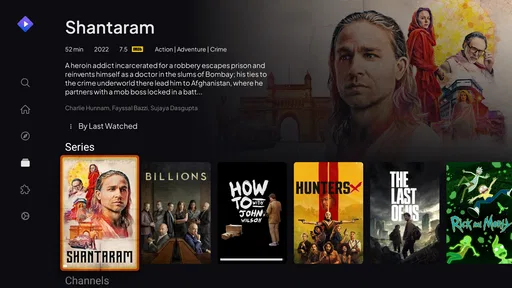
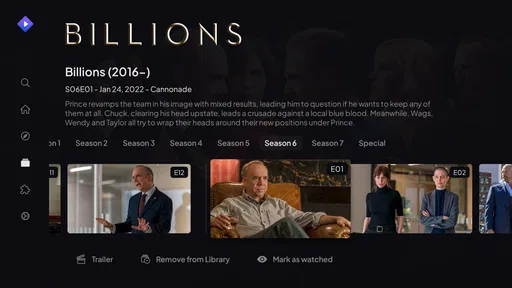
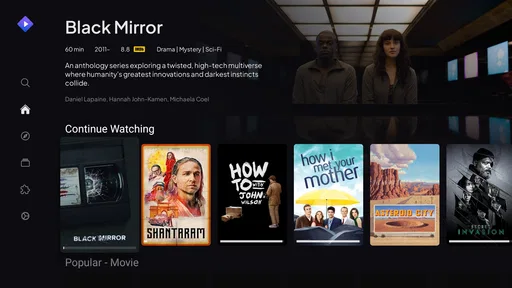
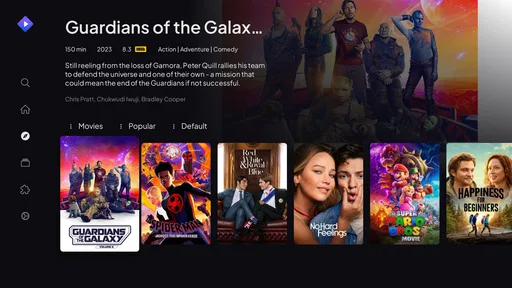
Our Review of Stremio
 Analysis by Appyee
I use Stremio as a central place for organizing and watching video content, and its biggest appeal is simple: it gives me one interface for keeping track of what I want to watch instead of making me jump between several entertainment apps. It is a free entertainment app from Stremio, aimed at Teen users, and it has been available on Android since August 30, 2019. After spending time with it, I see it as more of a flexible viewing hub than a traditional streaming service with a single built-in catalog.
That distinction matters before you install it. Stremio can make discovery and organization much easier, but the experience depends heavily on the sources and services connected to it. I would recommend it to someone who wants a cleaner way to manage video choices across different places. I would not recommend treating it as a magic replacement for every paid streaming subscription.
How Stremio fits into everyday viewing
I find Stremio most useful as a planning layer between hearing about a film or series and deciding where to watch it. In this section, I’ll focus on the small routines that make that role practical, especially keeping a shortlist manageable and checking options when the whole household has a say. That everyday perspective also makes it easier to see where the app’s flexibility helps—and where its setup calls for a little patience.
A free app with a different kind of value
There is no purchase price for the app itself, so the initial decision is easy: installing Stremio does not require paying for the application. That makes it attractive for anyone who wants to test a new viewing workflow without committing money first. The important point is that free installation is not the same as every piece of content being free. What I can watch depends on the legitimate services and sources available through the app and on any subscriptions those services require.
I appreciate that separation because it prevents a common misunderstanding. Stremio is not simply a paid catalog where one fee unlocks everything. It works as an organizer and access point, while the underlying availability, subscription requirements, and viewing conditions can vary. In practical terms, the app can save me time and reduce clutter, but it does not remove the cost of services I already need for particular shows or films.
The Android version supports devices running Android 7.0 or later, which covers a wide range of phones and tablets. On a modern device, the basic idea is easy to understand: search for something, see where it is available, add items to a personal library or watchlist, and return later when I am ready to watch. The value comes from the workflow rather than from a single exclusive catalog.
What I actually use it for
My favorite use is keeping track of unfinished viewing. Instead of remembering which service has a series or saving scattered notes, I can use Stremio as a central reminder. When I have a few minutes during a commute or after dinner, I can open the app and see what I intended to continue. That is a small convenience, but it becomes useful when my viewing habits are spread across several platforms.
It also helps during discovery. I often remember a title but not where I saw it mentioned, or I know the name of a film without knowing which service currently carries it. A unified interface makes that search less frustrating than opening several apps one after another. The app is especially helpful for people who watch irregularly and want a dependable place to collect ideas before deciding what to play.
Another practical benefit is continuity of thought. I can browse when I am not ready to watch, save something for later, and return when I have more time. That is better than relying on memory or leaving dozens of browser tabs open. I would not call this revolutionary, but it is the kind of modest organization that makes an entertainment routine feel less scattered.
Why the source setup changes the experience
The first important adjustment is understanding that Stremio’s usefulness depends on how it is configured. The app’s central interface can be polished and convenient, yet the results I get from it still depend on the content sources I use. Some people will find that empowering because they can shape the experience around their own services. Others may find it less straightforward than opening a conventional streaming app and pressing play.
I recommend taking a few minutes to organize the app rather than judging it immediately after installation. Search for familiar titles, check how they are presented, and decide which sources fit your own viewing habits. This prevents the common mistake of assuming that the first screen tells the whole story. Stremio rewards a little setup, while a standard subscription app usually rewards immediate use.
There is also a legal and practical responsibility here. I would stick to legitimate sources and services, pay for subscriptions when they are required, and avoid treating every available option as automatically authorized. The app may bring different possibilities into one place, but that does not change the rights or conditions attached to the content itself. For me, responsible source selection is part of getting real value from the application.
Small workflow improvements that make a difference
One useful habit is to separate discovery from decision-making. When I hear about several films or series, I add the promising ones rather than immediately opening every service to investigate them. Later, when I have time, I review the list and choose something based on my mood. This turns Stremio into a lightweight personal queue instead of another place where I endlessly scroll.
I also find it helpful to keep the list selective. If I save every interesting title, the collection becomes noisy and the app loses some of its purpose. Keeping only things I genuinely expect to watch makes the library more useful. This is a simple tip, but it addresses one of the hidden weaknesses of any watchlist: organization tools only help when I maintain them.
A second tip is to use the app for planning shared viewing. If friends or family suggest titles, I can collect them in one place and check availability later rather than interrupting the conversation to search immediately. That works well for a weekend movie decision, particularly when people use different services. The trade-off is that the final choice may still depend on someone’s subscription, device, or preferred playback option.
For a household, I would also agree on a naming and browsing routine before relying on the app as a shared hub. A personal library is easy to understand, but a mixed household queue can become confusing when several people add items for different reasons. Stremio is strongest when the list reflects a clear purpose, such as family films, a personal series queue, or a shortlist for the next movie night.
How it compares with ordinary streaming apps
Compared with a conventional streaming service, Stremio feels broader and more organizational. A normal service usually gives me a controlled catalog, a familiar playback path, and a clear subscription relationship. That simplicity is valuable: I know where the content comes from and what I am paying for. Stremio gives me more flexibility in how I gather and discover content, but that flexibility can make the experience feel less uniform.
Compared with using separate apps manually, Stremio is more convenient for tracking. The advantage is not necessarily that it plays everything better; it is that I spend less time remembering where a title belongs. If I only use one streaming service, I may not need this extra layer at all. In that situation, the service’s own search, recommendations, and watchlist could be faster.
Compared with a basic media player, Stremio is more focused on discovery and catalog organization. A media player is often better when I already have content prepared and simply need reliable playback. Stremio makes more sense when I am deciding what to watch and trying to connect that decision with an available source. Choosing between them depends on whether my main problem is finding content or playing content I already have.
Where the friction appears
The main limitation I notice is the gap between a neat interface and the messy reality of content availability. A title may be easy to find but not immediately available through the source I want to use. A listing can help me discover something without guaranteeing that it fits my subscription, region, device, or preferred viewing method. That means I still need to check details instead of assuming that every search result leads to effortless playback.
This can be frustrating for people who expect a single all-inclusive service. Stremio reduces the number of places I need to browse, but it does not necessarily reduce every decision. I may still need to identify the correct service, sign in elsewhere, or decide whether a subscription is worthwhile. The app saves organizational effort, not every possible step in the viewing process.
There is also a learning curve around sources and setup. Someone comfortable with streaming platforms will probably understand the idea quickly, while a less technical family member may wonder why the app does not behave like a standard catalog. I would introduce it gradually: start with searching and saving titles, then explore the available viewing options. That approach makes the app less intimidating.
Performance can also feel dependent on the device and source rather than on the interface alone. I would not judge the entire experience from one slow result or one unavailable title, but I would keep expectations realistic. The app is a coordination layer, so the weakest part of the chain can affect what I experience. That is an important trade-off for anyone choosing flexibility over simplicity.
Who will get the most value
Stremio is a strong fit for people who use more than one legitimate video service and dislike searching through each one separately. It is also useful for viewers who collect recommendations, follow several series at different times, or want a single place to plan future watching. The free app makes experimentation low-risk, and the Teen content rating gives families a reason to pay attention to how younger users browse and what sources are connected.
I can also see value for someone who enjoys researching what to watch before committing to a viewing session. Instead of opening a service with no plan and drifting through recommendations, that person can use Stremio to build a shortlist. The app is less about forcing a particular choice and more about reducing the friction between “I heard about this” and “I know where to start.”
It is less suitable for someone who wants a completely controlled, subscription-based experience with no setup decisions. If I only care about one provider’s catalog, that provider’s own application is probably simpler. Likewise, a person who wants guaranteed availability, consistent playback behavior, and one clearly defined billing relationship may prefer a traditional service.
I would also skip it as a primary solution if my main need is advanced local playback rather than discovery. A dedicated media player may offer a more direct route for content I already manage. Stremio becomes worthwhile when organizing and finding video is the problem, not when I merely need a tool to open a file.
What the adoption numbers tell me
The app has passed ten million installs and holds a 3.8 average from around seventy-nine thousand ratings, alongside roughly nineteen hundred written reviews. Those figures suggest a substantial Android audience, but they also tell me to keep expectations balanced. A large user base shows that the concept resonates, while the middling average hints that the experience may vary depending on setup, source choices, and what each person expects the app to do.
I see that variation as central to the review. Someone who wants a unified organizer may find Stremio genuinely useful, while someone expecting a complete, ready-to-play catalog may feel disappointed. The same app can therefore seem excellent or inconvenient without either user being unreasonable. The deciding factor is whether the viewer understands its role before building a routine around it.
My recommendation after using it
For me, Stremio delivers worthwhile value because it tackles a real everyday problem: keeping video discovery and viewing plans from becoming scattered across multiple apps. Its free access makes it easy to try, and the Android 7.0 minimum means it remains approachable for many older devices. I especially like it for building a focused watchlist, checking where titles fit into my viewing setup, and planning shared movie nights without searching from scratch each time.
Still, I would not describe it as a universal replacement for paid streaming services. The app cannot turn every source into one identical catalog, and I still need to respect subscriptions, availability, and legitimate access. Its flexibility is its strength and its main complication. The more control I want over sources, the more attention I need to give the setup.
My verdict is to try Stremio if your problem is fragmented discovery, not if your only goal is instant access to one fixed catalog. It is a sensible free addition for multi-service viewers, recommendation collectors, and people who like organizing what they watch. If you prefer a simple subscription app with minimal decisions, staying inside that service will probably be more comfortable. In my experience, Stremio earns its place when I use it as a thoughtful viewing hub rather than expecting it to do the job of every entertainment platform at once.
Verdict
Strengths of Stremio
- Supports many streaming add-ons in one convenient interface.
- Syncs your library, watch history, and progress across devices.
- Provides subtitles and multiple audio options for supported content.
- Works on Android TV and other larger-screen platforms.
- Offers useful notifications for newly available episodes.
Limitations of Stremio
- Content availability depends heavily on installed third-party add-ons.
- Some add-ons may provide unreliable links or inconsistent playback quality.
- The interface can feel confusing for first-time users.
- Certain features require creating an account and signing in.
- Add-ons may raise copyright and privacy concerns depending on their source.
Similar Picks in This Category
View All
Google Play Games
Google LLC3.9

Netflix
Netflix, Inc.4.8

YouTube Kids
Google LLC4.2

Disney+
Disney4.4

Prime Video
Amazon Mobile LLC4.7

Steam
Valve Corporation3.2
Frequently Asked Questions
What is Stremio and how does it work?
Stremio is a media-center application that lets you organize and discover movies, TV shows, live channels, and other video content in one interface. After creating an account, you can install add-ons that connect Stremio with different content sources. The app itself mainly provides the catalog, playback interface, library, and synchronization across supported devices, while available content depends on the add-ons you choose.
Is Stremio free to download and use?
Yes, Stremio can generally be downloaded and used without a subscription fee. You can browse catalogs, manage a personal library, synchronize viewing activity, and use compatible add-ons at no cost. However, some add-ons may connect to subscription services or other providers that require payment. Before watching anything, check the source, pricing, and terms associated with it rather than assuming every available title is free.
Is Stremio legal and safe to use?
Stremio is a legitimate media-organizing and streaming platform, but the legality of particular content depends on the add-ons and sources you install. Official or authorized services are generally the safest choice. Unofficial add-ons may provide access to material without proper distribution rights and can also present privacy, advertising, or security concerns. Install add-ons carefully, avoid suspicious downloads, and follow copyright laws in your country.
Which devices and platforms support Stremio?
Stremio is available on several major platforms, including Android phones and tablets, Android TV, Windows, macOS, Linux, and iOS-related devices through supported versions or access methods. The exact features can vary by platform, especially regarding add-on installation, casting, and playback. Before downloading, check the current official store listing and system requirements to confirm that your device and operating-system version are compatible.
Does Stremio support subtitles, casting, and synchronization?
Stremio includes useful features such as subtitle support, watch-history synchronization, library management, and playback continuation between compatible devices. Casting or external playback may also be available depending on your device, operating system, and the selected source. Subtitle language and quality can vary because they may come from different providers. A stable internet connection is recommended, particularly when streaming high-resolution video or using multiple devices.
